Skip the research trap. Get your projection screens in 60 seconds.
We scored 400+ projection screens across 5 dimensions — answer 5 quick questions and we'll match you to YOUR best pick.

Powered by DecisionScore™
Each product is evaluated across 18 weighted criteria — covering performance, value, build quality, and real-world usability. Your quiz answers re-weight the criteria to match what matters most to you, so two people can get different #1 picks from the same data.
See the DecisionScore methodology →- 100" diagonal, 16:9 aspect ratio, black case
- Auto-lock mechanism stops at any position
- 4K/8K Ultra HD 3D Ready
Find your perfect projection screens
5 quick questions. No quiz-takes-10-minutes trap. A personalized match from 36 scored picks — with clear reasoning for every recommendation.
What screen size do you need?
For most living rooms, 100"–120" diagonal is ideal at 10–14 ft viewing distance. Smaller rooms do well with 80"–100".
- Measure your available wall space before choosing a screen size to avoid overcrowding or blocking doors and windows.
- Your seating distance should be about 1.5 times the screen diagonal for comfortable viewing without eye strain.
- Check your projector’s throw distance—oversized screens can lead to blurry images if your projector can’t fill them.
As an Amazon Associate and affiliate partner we earn from qualifying purchases. Links on this page may earn us a commission at no extra cost to you. Full disclosure
Not ready for the quiz? Here are our overall top picks
These are our top-rated picks overall. For a recommendation matched to YOUR specific needs,
Elite Screens Manual Series, 100-INCH 16:9, Pull Down Manual Projector Screen
100" diagonal, 16:9 aspect ratio, black case
View Today's Price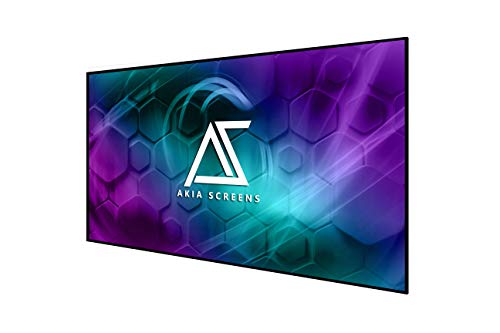
Akia Screens 100 Inch Edge Free Fixed Frame Projector Screen 16:9 – CineWhite
100" diagonal, 16:9 edge-free fixed frame design
View Today's Price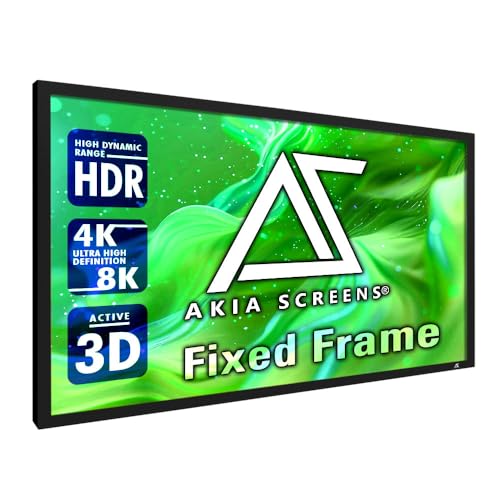
Akia Screens 100 Inch Fixed Frame Projector Screen, 16:9, 8K / 4K Ultra HD
100" diagonal, 16:9 fixed frame wall mount
View Today's PriceHow to Choose the Right Projection Screens
Choosing the right projection screen depends on screen size, projector type, room layout, and installation style—trade-offs that shift based on your space and primary use. A feature that’s perfect for a dedicated home theater can be a headache in a flexible living room or office. Our recommendation engine evaluates your specific setup across five key dimensions and matches you to the right projection screen in under 60 seconds.
About this guide
Projection Screens
The Real Buying Challenge: Trade-offs and Buyer Pitfalls
Choosing the right projection screens in 2026 is trickier than most expect. Projecting onto a bare wall leads to uneven brightness, visible texture, and inaccurate colors—no matter how good your projector is. But not all projection screens are created equal. Manual pull-down projection screens, like the Elite Screens Manual Series M100UWH, offer reliable performance for $150–$250, but you sacrifice the convenience of remote operation. Motorized projection screens, such as the Elite Screens VMAX2 VMAX100UWH2, add remote control and 12V trigger support for $300–$450, but can suffer from motor failures after a year or two. Fixed frame projection screens deliver the flattest, most uniform surface, ideal for home theaters, but require permanent wall space and cost more upfront. Portable tripod projection screens are great for flexibility but are prone to wrinkles and instability outdoors. Most buyers get tripped up by mismatching projection screen size to their room or choosing the wrong gain for their projector’s brightness—oversizing leads to blurry images, and cheap foldable projection screens under $150 almost always disappoint with wrinkles and poor tension. Price jumps from $50 to $500, but spending more on projection screens doesn’t always guarantee better results for your setup.
What Separates the Options: Specs and Features That Matter
Not all projection screens are built for the same job, and the differences go beyond price tags. The biggest differentiators among projection screens are screen type (manual, motorized, fixed, portable), material gain, aspect ratio, and build quality. Elite Screens dominates the $150–$500 range for reliability and performance, with their Yard Master Plus projection screens excelling outdoors and the VMAX2 series leading for motorized indoor use. Skip high-gain projection screens unless you’re battling serious ambient light—matte white projection screens with a 1.0–1.2 gain are the sweet spot for most projectors, especially popular models like the XGIMI TITAN2. Black-backed projection screens prevent light bleed, which is crucial for outdoor or multipurpose spaces. If you own an ultra-short-throw projector, don’t bother with standard projection screens—only a CLR/ALR surface will preserve contrast and color. Avoid foldable projection screens under $150; wrinkles and poor mounting hardware are rampant. Tab-tensioned projection screens sound appealing, but under $400, fixed-frame projection screens actually provide better flatness and last longer. Always match your projection screen’s aspect ratio (16:9 for HD/4K, 4:3 for presentations) and size to your projector’s throw distance—oversizing projection screens is a common, costly mistake.
Decision Factors and How to Choose the Right Screen
Projection screen size, aspect ratio, and type all interact with your room, projector, and intended use. A 100-inch projection screen works beautifully in a 10–14 ft room, but crams into a small apartment or overwhelms a short-throw projector. If you’re planning for home theater, prioritize fixed-frame or tab-tensioned motorized projection screens for the flattest image; for flexible or office setups, a quality manual pull-down or portable tripod projection screen is more practical. Your projector’s brightness and throw type dictate the best projection screen gain—1.0–1.2 for most, but UST projectors need specialized ALR/CLR projection screens. The quiz evaluates your room size, projector type, installation preference, and primary use case to match you to the right projection screens. Beyond that, consider future-proofing: will you upgrade to 4K or move your projection screen setup? Don’t ignore mounting constraints—motorized projection screens need power access, and fixed-frame projection screens demand permanent wall space. Finally, remember that spending over $500 on projection screens rarely adds value unless you need advanced ALR or commercial-grade durability. Prioritize the projection screen features that fit your actual space and usage, not just the highest specs.
Buyer's guide
How to choose
1Core Performance Criteria
- Aim for a screen gain between 1.0 and 1.2—this range balances brightness and color accuracy for most home and office projectors.
- Choose a 16:9 aspect ratio for HD and 4K content; 4:3 is only suitable for legacy presentations or older projectors.
- Look for black-backed screen materials to prevent light bleed, especially if you’ll use the screen outdoors or in multipurpose rooms.
- Fixed frame screens offer the flattest, most uniform viewing surface, but require permanent installation and dedicated space.
- Motorized screens like the Elite Screens VMAX2 provide remote convenience and 12V trigger support, but can suffer motor issues after heavy use.
- Avoid foldable screens under $150—wrinkles and poor tensioning are nearly impossible to eliminate, ruining image quality.
2Build Quality and Durability
- Elite Screens models in the $150–$500 range are consistently praised for robust frames, reliable rollers, and long-lasting screen materials.
- Manual pull-down screens with auto-lock mechanisms are less prone to failure than budget electric models with weak motors.
- Fixed frame screens use tensioned mounts that resist sagging over years, outperforming tab-tensioned roll-ups under $400.
- Outdoor screens like the Yard Master Plus need weighted frames or ground stakes to withstand wind and prevent frame instability.
- Watch for motorized screens with weak or noisy motors—failure rates increase after 1–2 years of daily use, especially in cheaper models.
- Black-backed and mildew-resistant screen materials add longevity for outdoor or garage setups, reducing the risk of stains and color fade.
3Value Analysis and Pricing Trends
- Manual pull-down screens like the Elite M100UWH hit the value sweet spot at $150–$250, balancing quality and affordability for most buyers.
- Motorized screens have dropped to $300–$450 in 2026, making remote operation more accessible without major sacrifices in build quality.
- Outdoor fixed-frame screens like the Yard Master Plus command $400–$500, but offer professional-grade clarity and portability.
- Spending over $500 rarely adds meaningful performance for home users unless you need advanced ALR for ultra-short-throw projectors.
- Avoid screens under $150—wrinkles, poor mounting hardware, and limited gain are common complaints that undermine the viewing experience.
- Look for bundled extras like wall mounts or remote controls, which add value without inflating the base price.
4Use-Case Fit and Installation
- Home theaters benefit most from fixed-frame or tab-tensioned motorized screens, which provide the flattest image and best color uniformity.
- Classrooms and offices are better served by manual pull-down or portable tripod screens, offering quick setup and easy storage.
- Ultra-short-throw projectors require CLR/ALR screens to maintain contrast—standard screens will wash out and lose detail in ambient light.
- Outdoor movie nights demand black-backed, weather-resistant screens with sturdy frames or ground stakes for wind resistance.
- Measure your available wall or ceiling space carefully—oversized screens can overwhelm small rooms or block windows and doors.
- Consider power access for motorized screens; installation may require routing cables or adding an outlet near the mounting point.
5Common Mistakes and Buyer Pitfalls
- Mismatching screen size to room or throw distance leads to blurry, washed-out images—100-inch screens need at least 8–10 feet of throw.
- Choosing the wrong aspect ratio (e.g., 4:3 for home theater) results in black bars or distorted images with modern content.
- Opting for high-gain screens in normal rooms can wash out colors and reduce viewing angles—stick with matte white unless you have unique needs.
- Buying foldable or portable screens under $150 almost always results in wrinkles that never fully disappear, frustrating even casual viewers.
- Ignoring black backing allows light bleed, especially in multipurpose or outdoor setups, reducing perceived contrast and color vibrancy.
- Assuming all motorized screens are equal—cheap motors often fail or become noisy, making manual pull-downs a smarter long-term investment at lower price points.
6Maintenance and Longevity
- Clean screens gently with a microfiber cloth and mild soap; harsh chemicals can damage coatings and reduce gain over time.
- Retract manual and motorized screens fully after use to prevent dust buildup, creasing, and accidental damage.
- Inspect electric models for motor noise or uneven retraction—early signs of failure should be addressed under warranty if possible.
- Store portable and outdoor screens in dry, temperature-controlled spaces to prevent mildew, warping, and frame corrosion.
- Check tension on fixed-frame screens annually; loose fabric can sag and degrade image quality, but most models allow for easy re-tightening.
- Replace mounting hardware or wall anchors if you notice wobble or sag—proper installation is key to long-term durability and safety.
FAQ
Frequently asked questions
Is it worth paying extra for a motorized projection screen in 2026?
Motorized screens like the Elite Screens VMAX2 offer remote convenience and a cleaner look, especially for living rooms or multi-use spaces. However, they cost $300–$450 and can develop motor issues after a year or two of heavy use. If you value daily convenience and are willing to pay for potential repairs down the line, they’re worth it. For budget buyers or those prioritizing longevity, a manual pull-down screen in the $150–$250 range is often the smarter investment.
How does Elite Screens compare to cheaper brands for projection screens?
Elite Screens consistently outperforms budget brands in build quality, flatness, and long-term reliability. Their manual and motorized models, like the M100UWH and VMAX2 series, use better tensioning and black-backed materials that resist wrinkles and light bleed. Cheaper brands under $150 often suffer from poor mounting hardware and persistent creases, which degrade image quality. While Elite Screens are pricier—typically $150–$500—they deliver a noticeably better viewing experience and are less likely to frustrate you over time.
What screen gain is best for most home theater projectors?
For most home theater setups in 2026, a screen gain between 1.0 and 1.2 is ideal. This range provides a balanced brightness and maintains accurate color reproduction, especially with popular projectors like the XGIMI TITAN2. Higher gain screens can cause color shifts and reduce viewing angles, while lower gain screens may look dim in ambient light. Unless you have a very bright room or a weak projector, stick to matte white materials in this gain range.
Do I need a special screen for an ultra-short-throw (UST) projector?
Yes, UST projectors require a specialized CLR (Ceiling Light Rejecting) or ALR (Ambient Light Rejecting) screen to achieve optimal contrast and color. Standard matte white screens will produce washed-out images and poor black levels with UST models. Expect to pay more—often over $500—for a proper CLR/ALR screen, but the improvement in image quality is dramatic, especially in rooms with ambient light.
What’s the best projection screen size for a small apartment?
In small apartments, an 80- to 100-inch diagonal screen is usually the sweet spot. This size provides an immersive experience without overwhelming your space or requiring an excessive throw distance. Make sure your projector can fill the screen from your available distance—most standard projectors need 8–10 feet for a 100-inch screen. Oversizing leads to blurry images and awkward room layouts, so measure carefully before buying.
Are portable or foldable projection screens good for outdoor movie nights?
Portable screens like the Elite Screens Yard Master Plus are excellent for outdoor use, offering sturdy frames, black-backed materials, and easy setup. However, avoid ultra-cheap foldable models under $150—they’re prone to wrinkles and frame instability, especially in wind. Look for screens with ground stakes or weighted frames to prevent tipping, and prioritize weather-resistant materials for longevity. Spending $400–$500 on a quality outdoor screen pays off in clarity and durability.
How do I match screen aspect ratio to my projector and content?
For modern HD and 4K projectors, a 16:9 aspect ratio is the standard—perfect for streaming, gaming, and Blu-ray movies. If you’re using an older projector or plan to display PowerPoint presentations, a 4:3 screen may be appropriate. Mixing aspect ratios leads to black bars or distorted images, so always match your screen to your projector’s native output and your primary content type. Most home users should stick with 16:9 for maximum compatibility.
Best Projection Screens By Category
Related Guides
AV Receivers
Room size, speaker setup, streaming features, and gaming needs—get matched to the right AV receiver for your home theater.
Home Theater Speaker Packages
Room size, audio priorities, and setup style—get matched to the right soundbar or speaker system for your home theater.
Blu-ray Players
Resolution, HDR, audio, streaming, and disc region—matched to your TV, sound system, and movie collection in seconds.
Budget Home Theater Systems
Room size, surround immersion, and setup style—get matched to the right budget home theater system for your space and habits.
Build the Ultimate Home Bar: Carts, Glassware, Tools & Storage
Entertaining style, storage needs, and drink preferences—get matched to the right bar cart, glassware, tools, and storage for your home.