Upgrade Your Remote Meetings: The Best Gear for Professional Video Calls
In today’s remote-first world, making a strong impression on video calls is more important than ever. Whether you’re leading a team meeting, interviewing for a new role, or connecting with clients, the right gear can transform your virtual presence.
A high-quality webcam ensures you’re seen clearly, while a dedicated microphone delivers crisp, professional audio. Proper lighting—whether from a specialized kit or a well-placed desk lamp—can make you look your best, even in less-than-ideal environments.
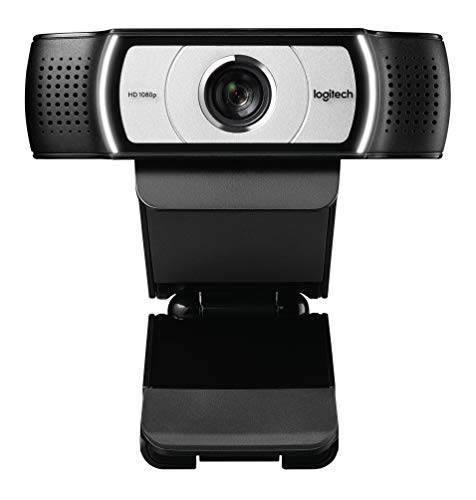
Webcams

Desktop Microphones for Remote Work

Professional Video Lighting Kits
Pick categories · Personalize · Get your picks
Pick categories
Choose what interests you
Answer a few Qs
Tell us what matters most to you
Get your picks
Scored, ranked, and ready to buy
What are you looking for?
Select the categories that interest you, or just start the quiz to explore everything.
Share a few details and our AI will tailor the results to your exact needs.(optional)
You can personalize individual categories on the next page
In today’s remote-first world, making a strong impression on video calls is more important than ever. Whether you’re leading a team meeting, interviewing for a new role, or connecting with clients, the right gear can transform your virtual presence. A high-quality webcam ensures you’re seen clearly, while a dedicated microphone delivers crisp, professional audio.
Proper lighting—whether from a specialized kit or a well-placed desk lamp—can make you look your best, even in less-than-ideal environments. And don’t overlook your background: soundproofing foam and acoustic panels not only improve audio quality but can also create a clean, distraction-free backdrop. With the right combination of these products, you’ll project confidence and professionalism in every remote meeting.
Explore our top picks to build your ideal video call setup and stand out from the crowd.
How we pick these products
Products are hand-picked for quality and relevance, then scored across multiple attributes such as video resolution, audio clarity, lighting adjustability, and workspace compatibility. A five-question quiz tailors recommendations by weighting categories—like webcams, microphones, lighting kits, and acoustic panels—according to user priorities. Rankings update dynamically as quiz answers change, ensuring the most relevant options are highlighted.
Frequently asked questions
What features should I prioritize in a webcam for professional video calls?
Look for webcams with at least 1080p resolution, reliable autofocus, and good low-light performance. Built-in microphones are helpful, but pairing with a dedicated desktop microphone can further improve audio quality for remote meetings.
How can I improve lighting for video calls in a home office?
Professional video lighting kits and adjustable desk lamps provide even, flattering illumination. Position lights to avoid harsh shadows and reduce glare. Monitor stands can help adjust camera angles for optimal lighting and framing.
What options help reduce background noise and echo during calls?
Soundproofing foam and acoustic panels absorb unwanted noise and minimize echo, creating a clearer audio environment. Combining these with a high-quality desktop microphone ensures professional sound for remote meetings.